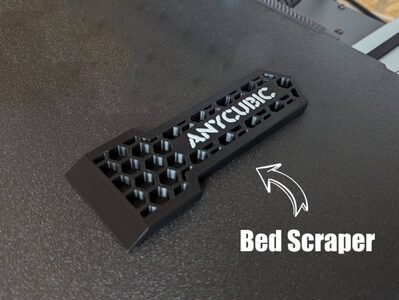
Anycubic Scraper
MakerOnline · piodeer
MakerWorld
Its licence (personal use only) does not allow printing to order. You can download the file at the source and print it yourself.
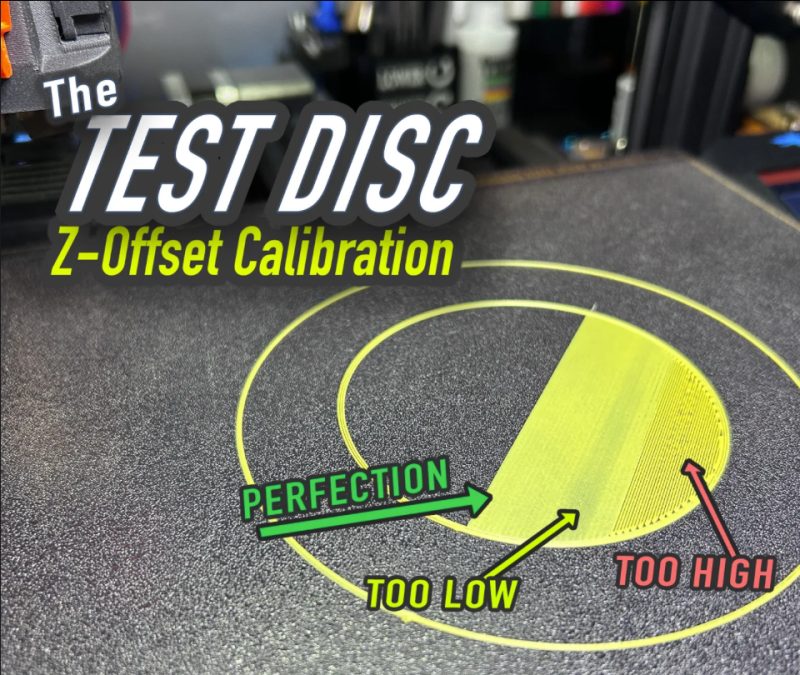
models to printTHE TEST DISC The Bambu Printers do not have an easy Z-Offset baby steping interface. If you notice your prints do not have a perfectly smooth first/bottom layer (you see layer lines), you can change the z-offset in Bambu Studio to give it more squish. Goto to Printer Settings | Machine G-code |Machine start G-code. You will need to scroll down until you find the section for z-offset on textured build plate. Change the value one at a time (from the default -0.04 to -0.05 etc.) and retest with a Test Disc. change this to a higher negitive number brings the bed closer to the nozzle. WARNING if you change this number incorrectly, you could cause damage to your bed, nozzle or other parts. Do this at your own risk! BAMBU X1C Example Above: I started at the default z-offset = -0.04, using this calibration disc, my z-offset ended up at -0.10 (perfect smooth 1st. Layer, if it was to close, backoff to -0.09). Your Z-offset results may be different. This process can also be done for other plates as well, you notice I also changed the “Cool Plate”. Can be found in the middle of Machine gcode - Example: ;========== For Textured PEI Plate, Cool Plate ========================================= ;curr_bed_type={curr_bed_type} {if curr_bed_type=="Textured PEI Plate"} G29.1 Z{-0.07} ;
MakerOnline · piodeer
Printables · Vic
MakerWorld · wuguigui
Printables · maby
Printables · Matt
Printables · SemkoAnton
MakerWorld · vr6syncro
Printables · nguyenkvvn
We need the necessary cookies for signing in and for ordering. With your consent we also measure visits (Google Analytics) and how our advertising works (Meta). Without consent none of that is loaded. More about cookies