
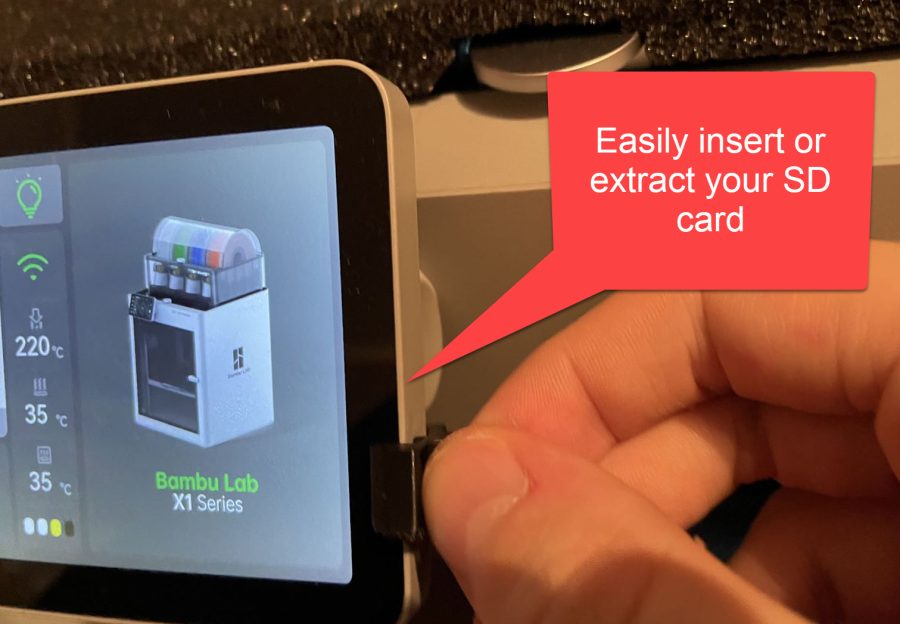
Bambu Lab X1(C) SD card extraction/insertion tool
MakerWorld
This model cannot be printed on matplace
Its licence (personal use only) does not allow printing to order. You can download the file at the source and print it yourself.
models to print- Origin
- Open on MakerWorld ↗
- Licence
- personal use only
About the model
Description The microSD card of the Bambu Lab X1 is a bit too deep inside the touchscreen; this tool eases extraction and insertion of the microSD card. I don't want to risk damaging the device by messing around with a sharp object or a scraper attempting to insert or extract the SD card. There are two variants: • SD pusher short: more difficult to insert the SD card with this, it is primarily meant for extraction. Cannot be stored on the top of the screen. • SD pusher long: Can be easily used for extraction or insertion of the microSD card. Can be stored on the top of the screen. Print instructions Included files should be directly loadable in Bambu Studio. Otherwise I recommend 0.12mm layer height so the chamfers are printed right. Use a slow first layer speed for proper adhesion.