Printables.com
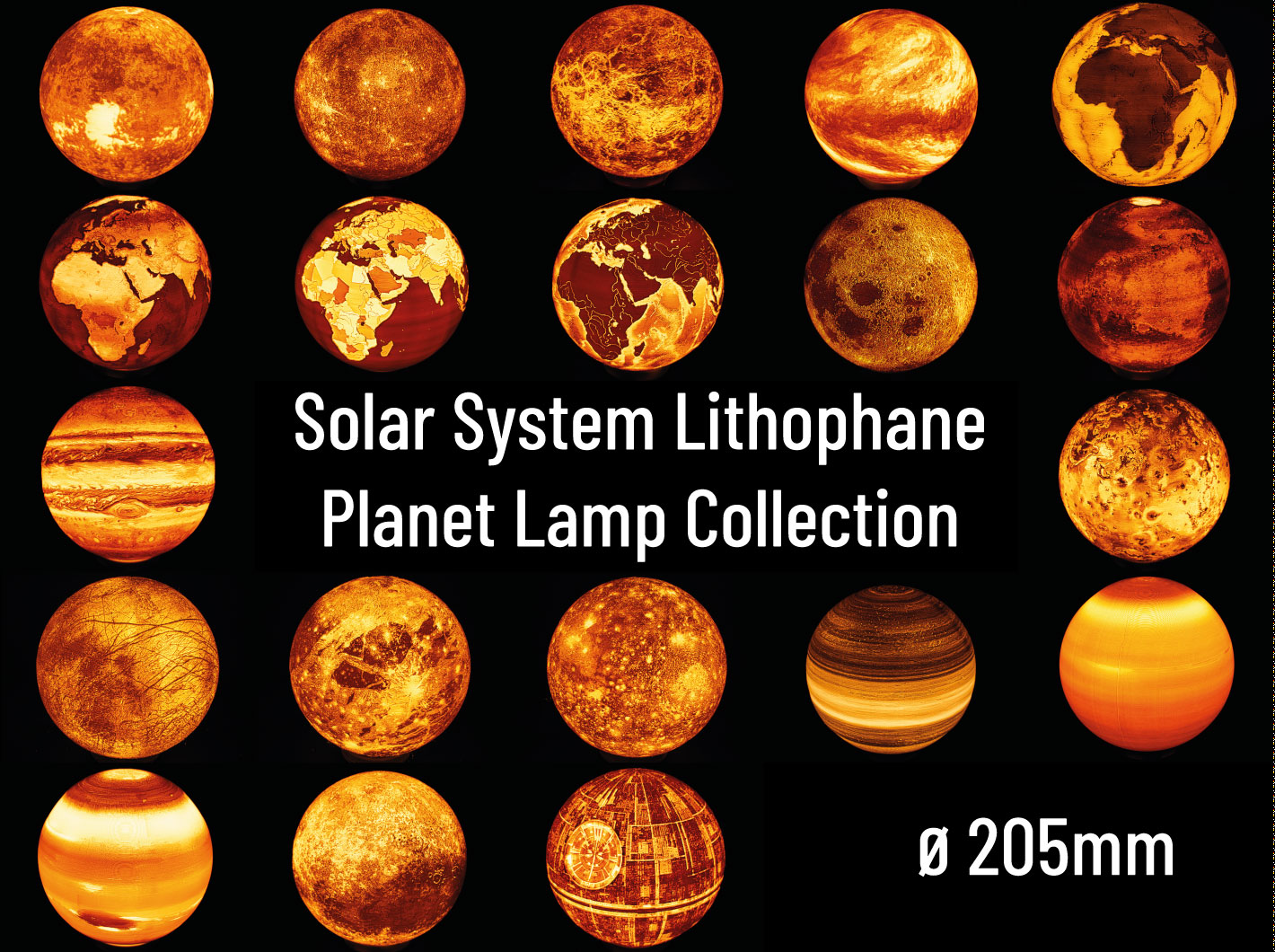
Solar System Lithophane Planet Lamp Collection - ⌀205mm
🏭 100+ tiskáren
·
po celé ČR
·
⏱ platba po přijetí tiskárnou
Autor modelu: FritzPeppone
·
originál na Printables.com
Popis
IntroductionThis model is part of my Solar System Lithophane Lamp Series. As of now, all planets and several moons of the solar system are available as lithophane lamps in five different sizes: ⌀295mm, ⌀205mm (this upload), ⌀150mm, ⌀75mm, ⌀25mm.
If you like my work, please consider supporting me. Your support will help me to make more models available for free. https://ko-fi.com/fritzpeppone. If you like to use my models commercially, please obtain a commercial license by joining my club. The commercial license includes all of my models except those that are based on the intellectual property of others (e.g. the GTA V map lamps) or remixes (e.g. the Death Star or Phobos lamps).
RequirementsAll Lamps have a size of ~ 205mm x 205mm x 195mm. They should print fine on most printers except for small printers such as the Prusa mini or Bambu A1 Mini. You will need around 300g of Filament (preferably PLA or PLA+) per lamp.
The lamps are mounted to their base with a M75x4 metric thread. The idea for the thread and also the thread dimensions are taken over from the Lithophane Moon Lamp with wide Screw Base by The Quicksilver. This means that his moon lamp as well as his mounting options are compatible with my lamps and bases. I am providing multiple different base options that all use the same thread. Choose the lamp of your liking and match it with any lamp base of your liking. All compatible lamp bases are listed below. You may either need a standard lamp base with a E14 or E27 thread or threaded E14 or E27 sockets. Some Bases also require M3 heat set inserts and M3 BHCS screws. There is additionally the option to use a a Bambu LED Kit as base.
Print SettingsThere are only a few settings you should tweak in the slicer to print the lamps.
• Print in PLA or PLA+
• Recommended layer height: 0.15mm
• Use the Arachne Perimeter Generator for more precise printing with better details
• If you use Arachne, set the minimum line width to 75% to avoid holes!
• Set wall count to 5-6 to obtain a solid lamp
• Set seam position to aligned
• Activate Brim (Outer Brim Only) and set the Brim width to 5-10 mm
• No Support required! The lamps print perfectly fine without support. All lamp bases come with in-built snap off supports (where required).
• Be aware, that slicing and printing may take a very long time. The STL files can take up to 10 min. to slice.
For Bambu Studio users: Bambu Studio seems to struggle with the Arachne Perimeter Generator. If you are unable to slice a lamp with Arachne, use the Classic Perimeter Generator.
For Cura users: Cura seems to complain about mesh quality with some models and won't slice them (so far only confirmed for the moon). I have yet to confirm whether Cura or the mesh is causing the issue. A possible workaround (thanks to kapasaki) is, to open the STL in Prusa Slicer, save it as 3MF file, open the 3MF in Cura and slice it as you'd normally do. If this workaround does not work for you, the only recommendation I can offer is, to switch to a different slicer.
Attention: the top section of the earth models (earth, earth bathymetry) and mars are tricky to print due to the low number of top layers and the heavy bridging in the top section. You may encounter holes there.
To avoid ruining a several hour or even several day print in the very end, I recommend printing the earth_dome_test.stl model from the Test Prints section. This is simply the top part of the earth lamp. If it prints well, go for the full lamp. If you encounter issues, reduce print speeds or use smaller layer heights for the top section.
This is not a SpeedBoatRace print! Use conservative print speed settings to avoid artefacts! It's totally fine if your print takes one or two days to finish.
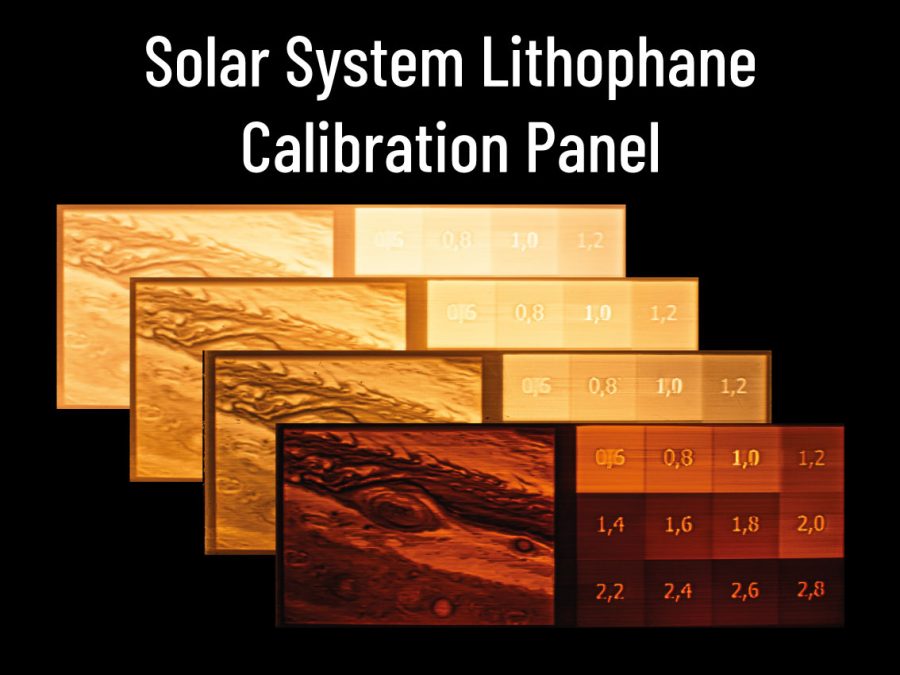
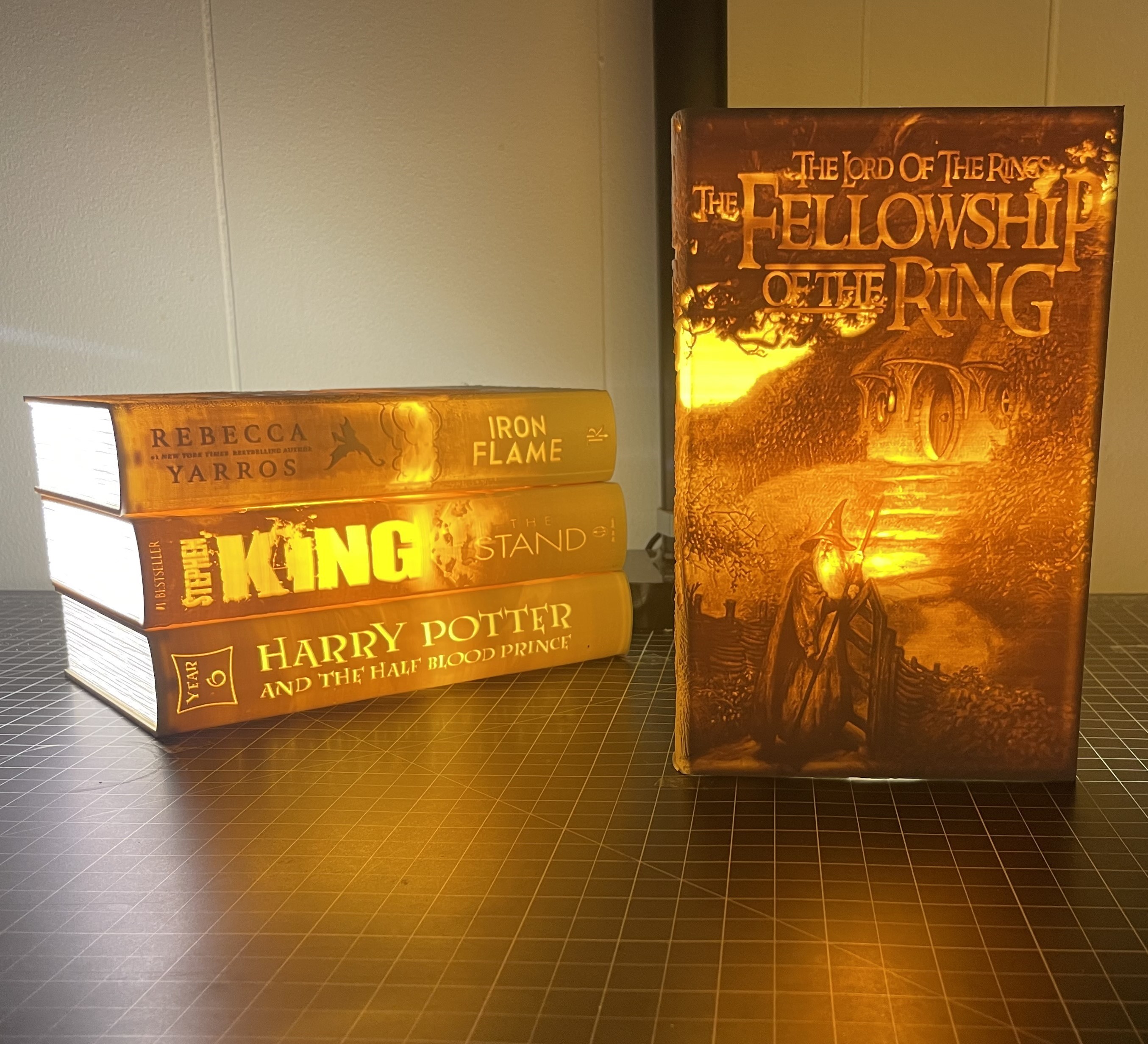
FilamentFilament matters. A lot! Depending on your filament choice, your lamp may have more or less contrast or a warmer or cooler color temperature. You can also change the outcome by choosing light sources with different wattage or color temperature. The picture below illustrates this:
All of the four Panels above were printed with different white PLA/PLA+ filaments but illuminated with the same 1W LED bulb. Before starting a multi-day print, I recommend printing the Solar System Lithophane Calibration Panel to test how your print will turn out. You are also by no means limited to white lights and filaments. Check the makes below to get inspired what color and light choices other makers made.
My personal favourite filament and the one I used for all lamps in my photos is Filament PM PLA+ White.
Planet LampsThe list below contains all (Dwarf)Planets of the solar system and the sun, turned into lithophane lamps. All of the lamps below are original creations. There are versions with the thread at the south pole (for standing use) and upside down versions (USD) with the thread at the north pole (for hanging use).
The SunMercuryVenus AtmosphereVenus SurfaceEarth Satellite Earth Satellite Bathymetry Earth Fishworld Earth Politi
Podobné modely
od 170 Kč