Printables.com
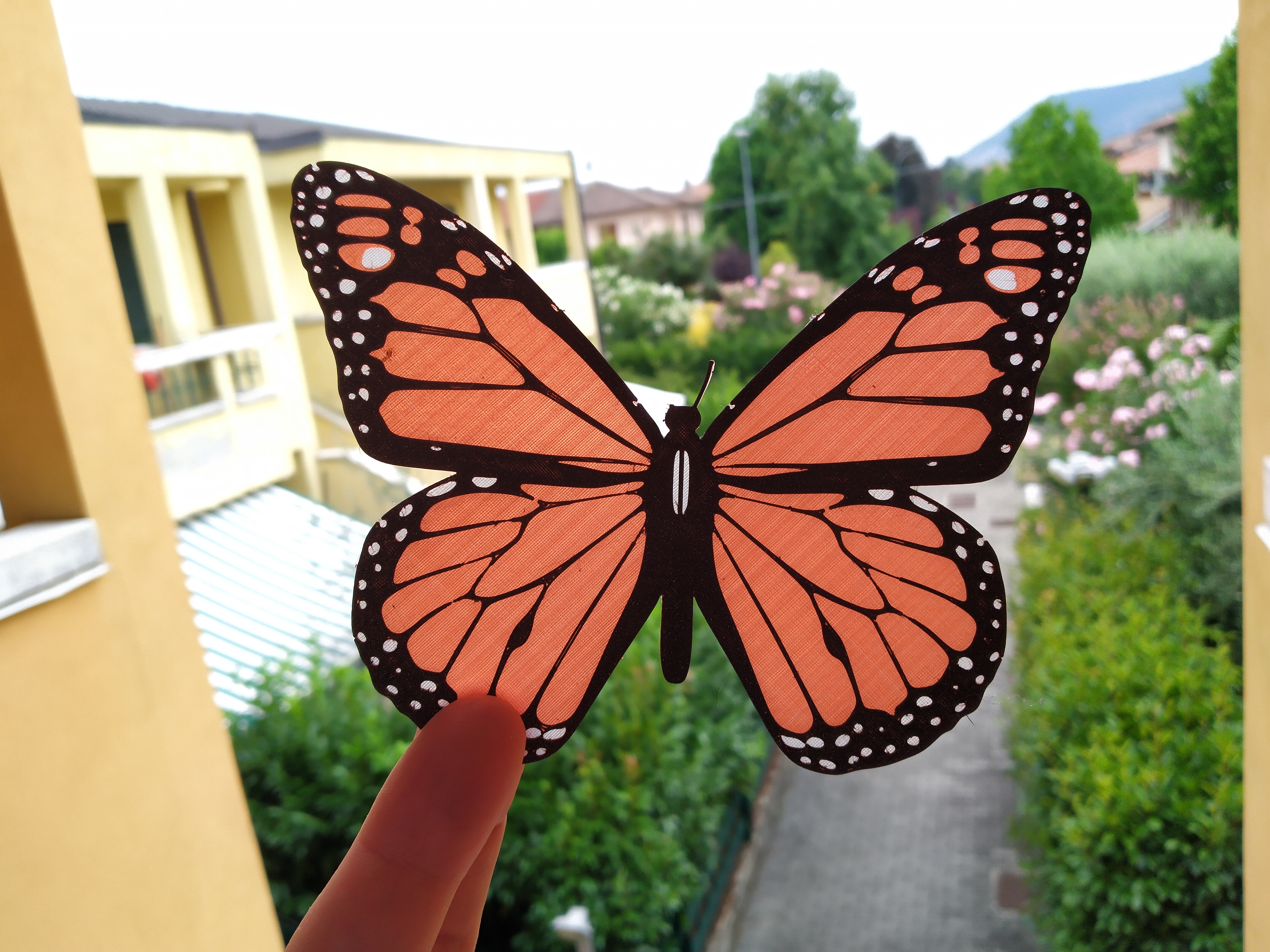
Monarch Butterfly
🏭 100+ tiskáren
·
across Czechia
·
⏱ quotes in 24 h
Model author: MrTrick
·
original on Printables.com
Description
Printing Instructions:
• For Prusa MK3S or MINI, you can use the provided gcode - it includes filament change pauses.
• For other printers / slicers, set a filament change after 0.4mm, and another after 0.8mm.
(model is 1.2mm total thickness)
• The antennae can be a little tricky - check your first layer height if it's not sticking.
• For traditional Monarch colouring use filaments
• Natural or White, then
• Orange, then
• Black.
• I recommend light or translucent colours on the bottom two layers, to allow light through.
• In the photographed butterfly I used Natural, Transparent Red, Galaxy Black
• You can bend the wings / antennae after printing, if you wish
• Move a lighter or small flame back and forth under the body of the butterfly for 4-5 seconds.
(do not touch the flame to the plastic, keep it away from direct contact)
• Gently bend the butterfly, then hold in place while it cools down.
• Go slow - you can always add more heat later.
Other information:
• Modelled in FreeCAD 0.19
• Based on a butterfly pattern at https://www.craftsmanspace.com/free-patterns/monarch-butterfly-vector.html
Note: There was an issue for some with the first STL, try the _repaired version if it gives you trouble.
Similar models