
Unknown source
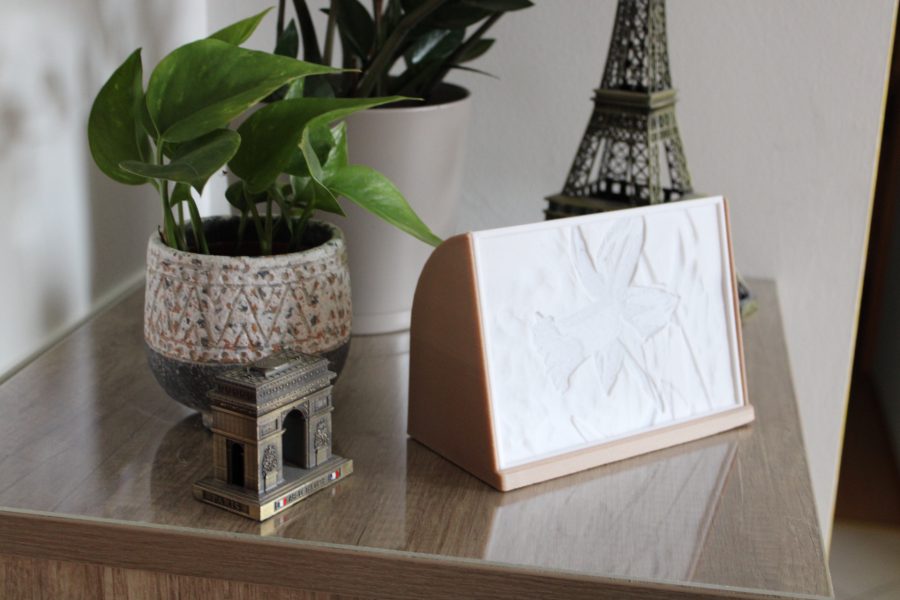
Lithophane frame
🏭 100+ tiskáren
·
across Czechia
·
⏱ pay after printer accepts
Description
General Information
I wanted an easy to print and nice looking frame for some Lithophane's I have. Furthermore, it should use cheap lights with batteries. I couldn't find something I liked so I drew my own in Fusion360.
Lithophane Maker
You can use Lithophane Customizer by Mass_Maker or Flat Lithophane Maker to create the Lithophane.
Parts and Tool
The Lights I used BXROIU 2 x 20er Micro LED
Filament Sunlu PLA+ white and Sunlu Wood
The settings I used
Lithophane Resolution (mm/pixel)0,2
Width (mm)170
Height (mm)120
Depth (mm)6
Base Height (mm)3
Overhang Angle (deg)60
Maximum Thickness (mm)2,4
Minimum Thickness (mm)0,6
The Width, Height and Depth are important. You need to use the same values as above or change the frame model. The other settings depend on the printer and material you are using. I used a modified Artillery Sidewinder X1 to print this model. These settings apply to the Flat Lithophane Maker.
My print settings
Lithophane:
• 0,4mm Nozzle
• 0,2mm layer Hight
• 4 perimeter
• 100% infill
Frame:
• 0,6mm Nozzle
• 0,3mm layer Hight
• 3 perimeter
• 30% infill
Assembly
It's very simple:
• Thread the fairy lights through the hole on the back.
• Bend the fairy lights so that they are nicely wrapped in the groove. Fix with hot glue if necessary.
• Simply place the Lithophane in the slot provided.
If you have any questions don't hesitate to ask me in the comments.
Similar models
from 170 Kč
Request quote
from 610 Kč