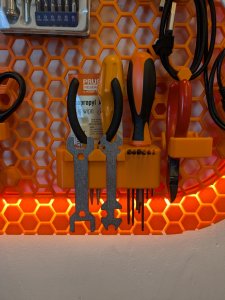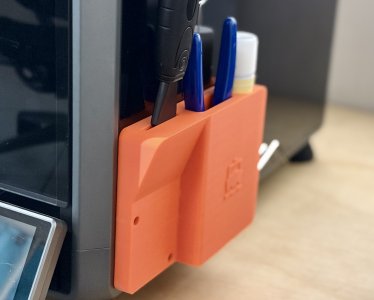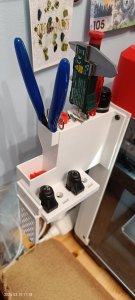
Flashforge AD5M - Enclosure attached tool holder
Printables · Vic

MakerWorld
Licence (jen pro osobní použití) dovoluje jen nekomerční použití. Stáhněte si soubor u zdroje, nahrajte ho k nám a vytiskněte na pronajaté tiskárně pro vlastní potřebu, ne na prodej.
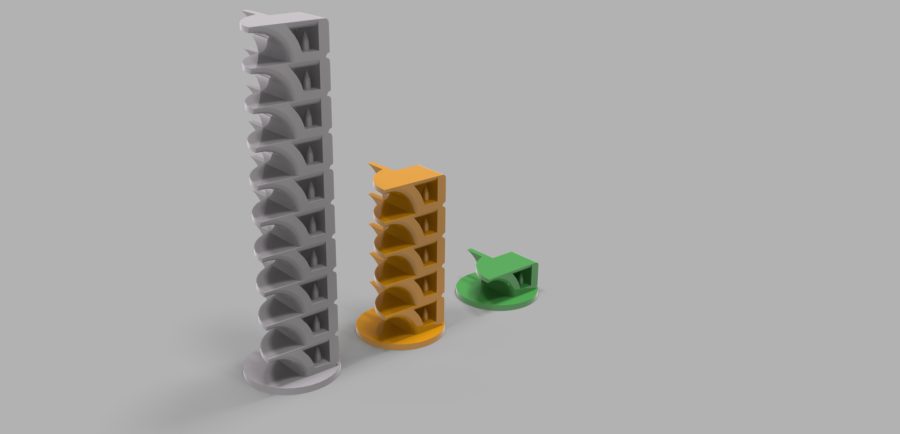
Nahrát soubor a vytisknoutThis is yet-another-calibration tower, with several tests for overhang/bridge performance, but also other tiny features that I think represent common use cases in detailed 3D printing. One of the things the Bambu X1/X1C/P1P printers cannot do for you is calibrate fan speeds for different filaments auto-magically. Temperature and cooling, along with flow and pressure advance is important to do for good printing performance, particularly for overhangs & bridging performance, as well as stringing. This model tests curved, straight, and thin overhangs in different orientations and by repeatedly printing a model at different heights. I have pre-sliced Fan and Temperature 3MF files for you, but you can “Scan” any printing variable you wish at 10 mm intervals. This model tries the most challenging types of curved overhangs, up to 90%, as well as bridges (100% overhang). It also prints several tiny features to make sure you don't accidentally over-optimize for one area of performance at the cost of another. Which file should I use? Bambu/SoftFever Users : (other slicers see below) Note: These files assume you are using an X1C (machine I tested on). If you are using a X1 or P1P or other machine, you will need to copy/paste the custom before-layer-change code into a copy of your machine's profile and save a copy and then slice. See the temperature instructions below for where to find this. • Temperature : 5xTempScan.3MF (This file does 5 different temps) • Fan Speed: 10xFanScan.3MF (This file scans 10 different speeds) If you use another slicer or want different sizes, STEP & STL files are included for 10x,5x,1x and separate base and repeating unit. Important Instructions: It is very important to make sure you're scanning the variable you think you are by checking in the slicer preview (temperature or fan speed view). Additionally, my files have a preset for Overture PETG by default setup. Make sure to change it to your filament of choice! • For fan-scanning it is
Printables · Vic
MakerOnline · piodeer
MakerWorld · wuguigui
Printables · maby
Printables · Matt
Printables · SemkoAnton
Printables · nguyenkvvn
Printables · raphworks
Cookies a měření. Nezbytné cookies jsou vždy; měření návštěvnosti a reklamy jen s vaším souhlasem. Víc o cookies