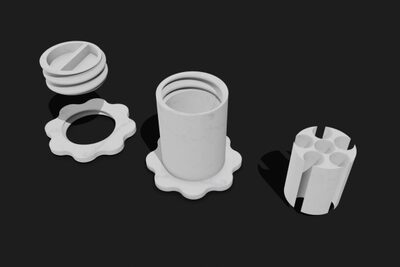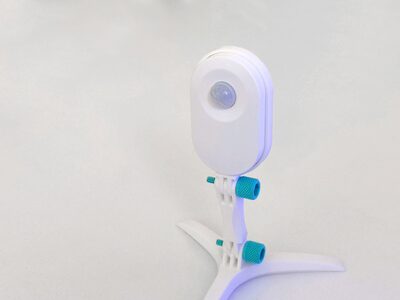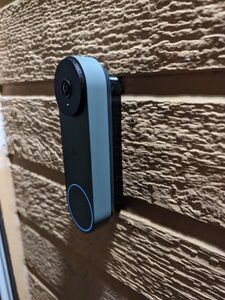
Google Nest Gen 2 Wired Doorbell Spacers (Flat & Angled)
MakerWorld · bri0nac

MakerWorld
Licence (jen pro osobní použití) dovoluje jen nekomerční použití. Stáhněte si soubor u zdroje, nahrajte ho k nám a vytiskněte na pronajaté tiskárně pro vlastní potřebu, ne na prodej.
Nahrát soubor a vytisknoutChangelog: • Added Polymaker Polymax PC (4/23/23). Note that default elephant foot compensation may be insufficient for this filament and you may need to increase it in your slicer profile. Alternatively, you can change the Z-offset for this filament, which seems to be a little runny and lead to elephant's foot. Lowering the first layer temperature another 5-10 degrees might also help. • Added Bambu PC ( White) 7/17/23. Better PA value than the autotuning seems to give. • Updated Bambu PC (White) 7/20/23. Added shrinkage compensation (if using OrcaSlicer). This will automatically apply correction for the PC shrinkage and make things fit better without having to resort to scaling the model in XY! What this is: This is a collection of all of my PC filament profiles for all filaments I've used of this type. I will update it as I tune new filament brands and colors. They are generally tuned for flow rate, pressure advance, and temperature and volumetric flow limits and overrides. They're a good working starting point for anyone struggling with a filament. I've also tuned other types of filaments (see my models here) and you should find, by category: • TPU / Flexibles • Nylon/PA and PACF variants • PETG • PLA / PLA + / Silk PLA • ABS / ASA CHT-Nozzle versions also available (0.4 mm , Brass) • PETG • PLA • TPU • ABS/ASA How to use: These 3MF files are designed for use in Orcaslicer/Bambuslicer, but will work best in Orcaslicer, because it supports using a fixed pressure-advance value in the slicer. • Load the 3MF file for the filament of your choosing. Files are named as __.3mf. • (optional, recommended): Save the filament and/or print presets for your own use to your user presets for future use. • Remove the calibration cube dummy object and put your desired object in. • Print! But, turn off flow calibration option in your prints! The more reliable PA value stored in the filament profile will be used instead, and you can skip the wasted startup ti
MakerWorld · bri0nac
MakerWorld · R C 3D
MakerWorld · IXPatch
MakerWorld · Ukdavewood
MakerWorld · keeeal
MakerWorld · vr6syncro
MakerOnline · FlwidPrint
MakerOnline · FlwidPrint
Cookies a měření. Nezbytné cookies jsou vždy; měření návštěvnosti a reklamy jen s vaším souhlasem. Víc o cookies