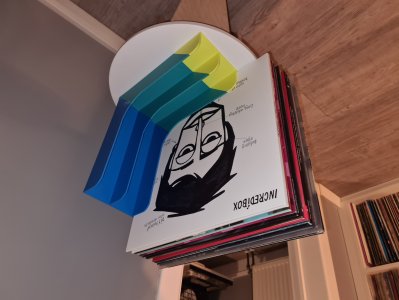
Sound Blaster G3 Underdesk holder
MakerWorld · Vergil

autor Ada Cohen · Printables
Licence modelu (CC BY (s uvedením autora)) dovoluje i komerční použití. Stáhněte si soubor u zdroje a nahrajte ho k nám. Autora a zdroj uvedeme u objednávky za vás.
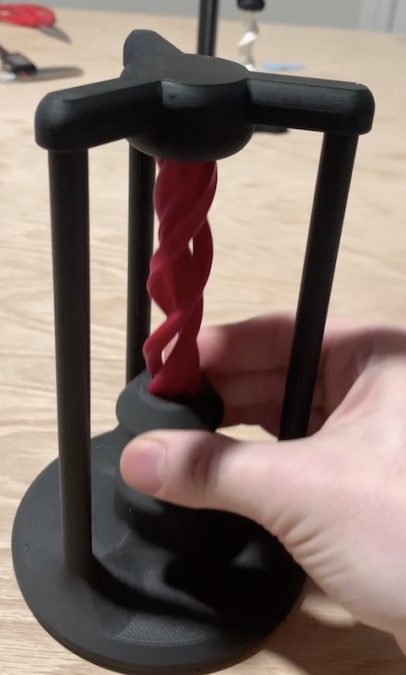
Nahrát soubor a vytisknoutDemo (Apologies for the sound. It's not that loud in person.) This is a neat little illusion desk toy I designed. As you slide the black slider in the middle up and down, the strange ribbon appears to slide up and down, its ends vanishing into the void. This print requires two standard skateboard bearings, but everything else is printed, and shouldn't require gluing. Update: I designed this fast print-in-place bearing which works great for this project. Printing I recommend printing this at 0.12mm. You can certainly get away with larger layers everywhere but the screw, nut, and endcap. I wouldn't cheat on those. There should be enough slop in the design for everything to fit together, but you might want to add XY compensation on the nut to loosen the hole a little bit. Otherwise, you may have to work it back and forth a bit to loosen it up. I recommend going for four or five vertical walls on the base to make sure the poles are strong. You can definitely get away with less, but it snaps together pretty tight, so you might snap something when working it in. I recommend black for the base and a contrasting color for the screw (using a filament swap). The black will help to hide where the screw "disappears" into the base. The effect should still look nice in all black though. Assembly You'll need two skateboard bearings; one for the top, one for the base. They should press in easily. Other than the bearings, the CAD file has everything arranged in its final position. Most of the assembly isn't particularly order dependent, but these steps should work: • Snap the bearings into the top and the base • Push the inner bearing insert (the short dowel with a rim on it) into the base bearing. The long side goes into the bearing. • Screw the nut onto the screw. You may need to work it back and forth a bit to get it on, depending on print defects. Be careful on this step not to break the screw (reprint the nut with -0.1 mm XY compensation if it's not working out)
MakerWorld · Vergil
matplace
matplace
Printables · Mademan666
matplace
Printables · Joris
matplace
matplace
Cookies a měření. Nezbytné cookies jsou vždy; měření návštěvnosti a reklamy jen s vaším souhlasem. Víc o cookies