Anubis pen holder
Printables · Pomeranč

autor Polymorphic · Printables
Licence modelu (CC BY (s uvedením autora)) dovoluje i komerční použití. Stáhněte si soubor u zdroje a nahrajte ho k nám. Autora a zdroj uvedeme u objednávky za vás.
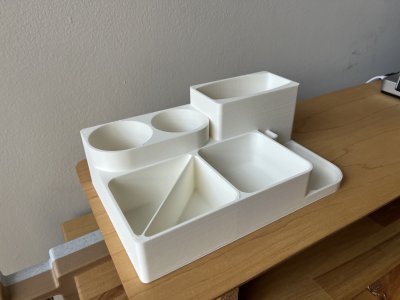
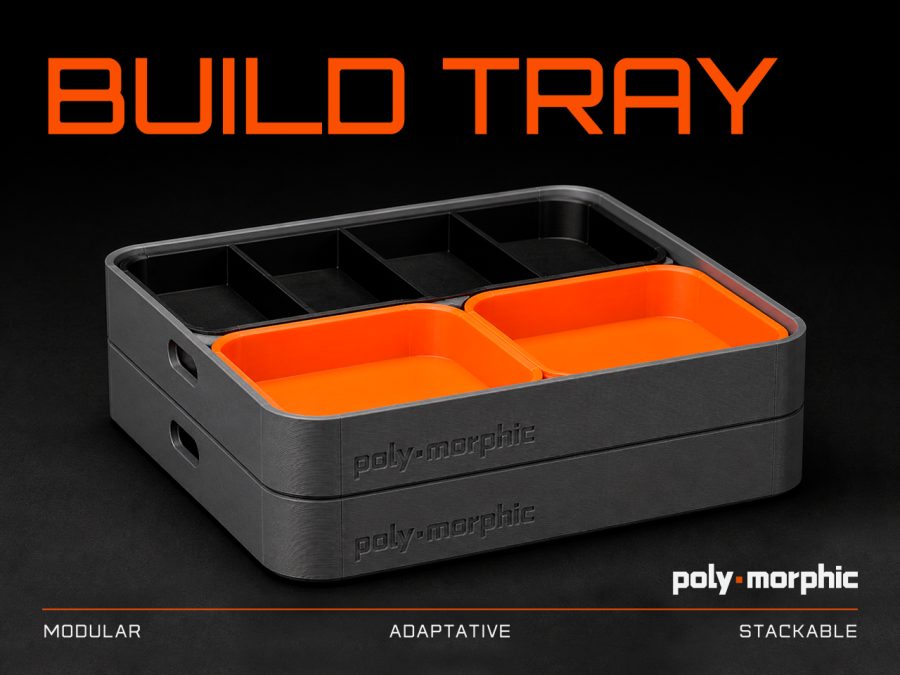
Nahrát soubor a vytisknoutBuild Tray is a modular organization system designed for makers, tinkerers, technicians, repair enthusiasts and anyone who needs to keep small parts under control while working on a project. It was created to help organize components during assembly, disassembly and maintenance of different types of equipment, such as 3D printers, electronics, tools, mechanical parts, RC models, keyboards, computers and general workshop projects. The tray system includes multiple modules that can be arranged depending on your workflow. Larger trays are useful for tools, covers and bigger parts, while smaller compartments are ideal for screws, fasteners, nozzles, inserts, wires and delicate components. The design follows a clean, functional and technical aesthetic, focused on practical use, modularity and workshop organization. This is a project made for the maker community. Makes, feedback, modifications and remixes are highly encouraged. Feel free to print it, adapt it to your own workflow and share your version. NEW: Build Tray Expansion Modules The Build Tray ecosystem is growing. A new Expansion Modules Pack is now available, featuring additional internal tray modules for more layout options, more organization possibilities and more flexible maker workflows. The expansion is designed to work with the original Build Tray and gives you new ways to organize screws, tools, small parts and components during assembly, disassembly, repair and maintenance projects. Download the expansion pack here: Features • Modular tray system • Great for assembly, disassembly and maintenance • Helps organize screws, parts, tools and small components • Useful for 3D printer maintenance, electronics, RC, keyboards, computers and general repairs • Stackable and easy to store • Clean technical design • Practical workshop and desktop organization • Remix-friendly project for makers Print Settings These are the settings used for the printed version shown in the images: • Material: ABS
Printables · Pomeranč
MakerWorld · Laura12
Printables · Pippa
Printables · Peterson Daughtry
MakerOnline · fifindr
Printables · Andreas Jäde
Printables · LV3D
Printables · HribaDesign
Cookies a měření. Nezbytné cookies jsou vždy; měření návštěvnosti a reklamy jen s vaším souhlasem. Víc o cookies